Friday, July 26, 2013

Common Linux Command

tar
tar -czvf myarchive.tgz mydirectory/

untar
tar -xzvf mystuff.tgz

mount cdrom
wodim --devices : find the cdrom device
 if wodim not found : apt-get install cdrecord
mkdir /media/cdrom  
mount -t iso9660 /dev/scd0 /media/cdrom : mount cdrom
mount -t iso9660 /dev/hdc /media/cdrom0/  : mount audio cd
 
 
kill gnome screen saver :
 ps -ef | grep amanda | grep gnome-screensaver
 kill -9 {screen saver id}
 
logout user from gnome :
 
   gnome-session-quit
or  
   pkill -u username   
 
1. arch

This command will show you the architecture of your system.

2. uname-m

This is another command to view the architecture of the system.

3. uname-r

This command is used to check the kernel version that is being used in the system.

4. dmidecode-q

This command give you the hardware components in your system.

5. hdparm-i / dev / hda

This is the command that shows the characteristics of your hard disk.

6. hdparm-tT / dev / sda

This command is used in order to conduct tests readings on hard drives.

7. cat / proc / cpuinfo

These commands can help you in getting CPU information.

8. cat / proc / interrupts

These commands are used to interrupt a process.

9. cat / proc / meminfo

This command verifies the memory usage in your system.

10. cat / proc / swaps

These commands are used in order to swap files.

11. cat / proc / version

These three commands can display the kernel version for your system.

12. cat / proc / net / dev

These four commands are used to view the network adapters and display statistics of the system.

13. cat / proc / mounts

This command shows you the mounted file system.

14. lspci-tv

If you need to view the PCI display devices then this is the command to use.

15. lsusb-tv

This is the command for displaying USB devices.


How to use tcpdump to detect Network Port Traffic
tcppdump dst mail.terangnusa.com and tcp port 587
tcpdump port 80tcpdump -i eth0
tcppdump -i eth0 dst port 25
 

Ubuntu New Installation & moving from previous ver

Ubuntu Clean Installation & moving data

1. Install lamp
   apt-get install tasksel
2. Moving /var/www
2. Moving database

     a. Stop mysql service
         sudo /etc/init.d/mysql stop
     b. Backup current database
         cp -Rp /var/lib/mysql /var/lib/mysql.backup
     c. Copy the database
         cp -Rp /mountpoint/var/lib/mysql /var/lib/mysql
     d. Start mysql service
         /etc/init.d/mysql start

    cp /etc/my.cnf  or /etc/mysql/my.cnf 

3. Install & moving FTP
    apt-get install vsftpd
   
mkdir /srv/ftp
usermod -d /srv/ftp ftp 
/etc/init.d/vsftpd restart
vi                 /etc/vsftpd.conf
local_enable=YES
write_enable=YES
chroot_local_user=YES
chroot_list_enable=YES 
touch /etc/vsftp.chroot_list 
vi /etc/vsftp.chroot_list
/home/user1
/home/user2
/home/user3 

service vsftp restart
create user
useradd  it
usermod -d /home/it/ftp it
usermod -G ftp,it it
 
4. Moving vitualbox
 apt-get install virtualbox
cp /home/vm/xp_pro.vdi

5. Install Teamviewer

6. Moving Thunderbird
cp -Rp /home/fadabi/.thunderbird /home/new/

10.  Copy firefox
cp -Rp /home/fadabi/.mozila/firefox/*.default /home/fadabi/.mozila/firefox/
vi profiles


7. Moving Mysql database
/etc/init.d/mysql stop
cp -Rp /var/lib/mysql /home/newdb
rm /home/newdb (to remove file, leave only dir)
vi /etc/mysql/my.cnf  (chang to new datadir to /home/newdb)

8. Install teamviewer
http://download.teamviewer.com/download/teamviewer_linux.deb

9.Install virtual box
apt-get install virtualbox
cp -r /old/vmbox /new/vmbox

Ubuntu Essential Application / Program


Ubuntu essential application / program

tasksel is a Debian/Ubuntu tool that installs multiple related packages as a co-ordinated "task" onto your system.
    • apt-get install tasksel

chgrp www-data /var/www/html/
chmod 775 /var/www/html/


logs files
/var/log/apache2/error.log

/etc/phpmyadmin/config.inc.php

skype
gedit /etc/apt/sources.list
deb http://archive.canonical.com/ubuntu maverick partner
deb-src http://archive.canonical.com/ubuntu maverick partner
apt-get update
apt-get install skype
teamviwer
Installing TeamViewer on Ubuntu 10.10
#1 : Download the *.deb package/installer from the website.
teamviewer for ubuntu 10.10

#2 : Open the downloaded file with Ubuntu Software Center and click on install to proceed.
#3 : Wait for the installation to complete,then go to Applications->Internet->TeamViewer 6.
wine
apt-get install wine
link http folder
mv nedi /opt/
ln -s /opt/nedi/html/ /var/www/
filezilla
apt-get install filezilla
youtube
apt-get install youtube-dl
youtube-dl "URL"
youtube-dl "http://www.youtube.com/watch?v=DWevG2BlH3k"
gimp
apt-get install gimp
hack your website with nitko
apt-get install nikto
(after host you can put host name or IP address of the target web server)
-port : TCP port(s) to scan.You can put by using comma e.g (80,443) or by giving the range of port such as (80-100)
-cgidirs : For scanning specified cgi directories.
-dbcheck : Check the scan databases for syntax errors.
-update : Updates the plugins and databases fr0m cirt.net.
-tunning : this option is used to tune the scan test against the target.
-format : It is used to specify the file format of the output.
Accobat
apt-get install acroread
web dev tool quanta
apt-get install quanta
calibre – book library
apt-get install calibre
setting up ftp
apt-get install vsftpd
change ftp dir
mkdir /srv/ftp
usermod -d /srv/ftp ftp 
/etc/init.d/vsftpd restart
To configure vsftpd to authenticate system users and allow them to upload files edit /etc/vsftpd.conf
local_enable=YES
write_enable=YES
/etc/init.d/vsftpd restart
notepad++ equivalent
apt-get install scite

alias sagi='sudo apt-get install'

Mysql Workbench
apt-get install libctemplate0 libzip1 python-pysqlite2 mysql-client python-crypto python-paramiko
dpkg -i mysql-workbench-gpl-5.2.27-1ubu1004-i386.deb

install Internet explorer
vi /etc/apt/sources.list
add
deb http://de.archive.ubuntu.com/ubuntu feisty universe
eb http://wine.budgetdedicated.com/apt edgy main
apt-get update
 
Install mysql work bench 
  apt-get install mysql-workbench    

poEdit is gettext catalogs editor, also known as .po files.  
apt-get install poedit     

Ubuntu clean up apt :
 
sudo apt-get clean 
sudo apt-get update 
sudo apt-get upgrade     
sudo rm -rf /var/lib/apt/lists 
sudo mkdir /var/lib/apt/lists 
sudo mkdir /var/lib/apt/lists/partial


Tuesday, July 9, 2013

Orangehrm 3.x : Adding new fields

For adding a new field in personal details u should add some changes to the following files also:

1. ViewPersonalDetailsSuccess.php (symfony->plugins->orangehrmpimplugin->modules->pim->templates)
2. BaseEmployee.class.php (symfony->lib->model->doctrine->base)
3. BaseEmployeeForm.class.php (symfony->lib->form->doctrine->base)
4. EmpInfo.php (lib->model->hrfunct)
5. EmployeeDao.php (symfony->plugins->orangehrmpimplugin->lib->dao)
6. EmployeePersonalDetailsForm.php (symfony->plugins->orangehrmpimplugin->lib->form)
7. EXTRACTOR_EmpInfo.php (lib->extractor->hrfunct)

And also add corresponding field in database (hs_hr_employee)

Sunday, June 23, 2013

Best Free PHP Image Gallery Scripts

from http://www.codefear.com/scripts/php-image-gallery-scripts/

5 Best Free Image Gallery Scripts

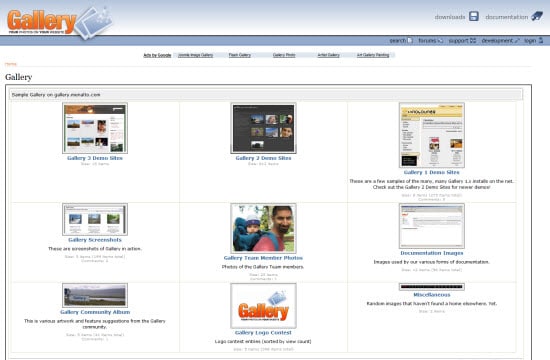
1. Gallery – Gallery is another very popular Free PHP Image Gallery Scripts. It is a web based open source image or photo organizer. Gallery provides an easy and quick solution. It seamlessly integrates photo management in your website. Gallery is equipped to handle a small personal website and as well as a large community website.
5 Best Free PHP Image Gallery Scripts scripts

2. Coppermine
– Coppermine is a free PHP based photo gallery script. It is a fully featured and multipurpose image gallery script which uses ImageMagick or GD as image library and MySQL as backend. Coppermine can be downloaded and installed easily on your webspace. It supports an extensive list of features such as extensive multimedia support, user management, picture management, etc.
5 Best Free PHP Image Gallery Scripts scripts
3. ZenPhoto: ZenPhoto is a powerful and free to use CMS for building multimedia websites. ZenPhoto Free PHP Image Gallery Script supports images, audio and video files. You can include custom pages, and even set up a blog section in ZenPhoto. It is an ideal resource for creating and managing image gallery websites. Thus, ZenPhoto serves as an ideal platform for building portfolio websites of artists, musicians, designers, photographers, film makers, illustrators, etc.
5 Best Free PHP Image Gallery Scripts scripts
4. Piwigo: Piwigo is free and powerful open source image gallery software. It is easily customizable. It comes with themes and plugins so that you can easily change its appearance and also can enhance its features. Thus with Piwigo you can give a personal touch to your online photo gallery website. You can organize the photos easily using Piwigo image gallery script and provides many other features too.
5 Best Free PHP Image Gallery Scripts scripts

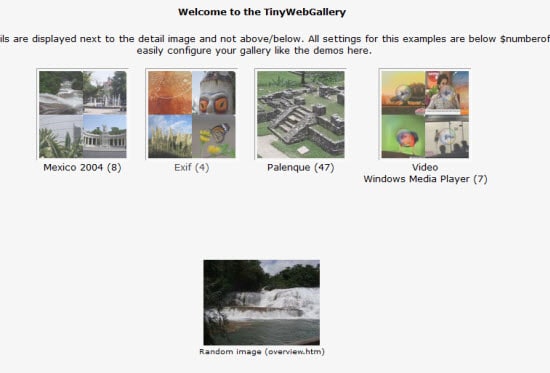
5. TinyWebGallery
– TinyWebGallery is another very powerful php based photo gallery script. Moreover, TinyWebGallery is available absolutely free. It is easy to install, easy to use and does not even require a database (employs xml files). It is loaded with features that can be enabled, disabled and can be even be configured. It has an advanced administrative panel which manages users, images and configuration settings.
5 Best Free PHP Image Gallery Scripts scripts
We hope you would have liked the above presentation on 5 Best Free PHP Image Gallery Scripts and look forward to your feedback, comments or suggestions.

Best Free Buliten Board 1

From  http://www.codefear.com/scripts/5-best-php-forum-bulletin-board-script/

1. vBulletin – Undoubted vBulletin is the best forum software. With its years of experience and great support has made it the best forum software. vBulletin is paid forum script but it is worth to its value. You can find lot of vBulletin templates by third party and lot of support from vBulletin and other places. Most of the successful form use vBulletin.
5 Best PHP Forum / Bulletin Board Script scripts
 
2. Invision Power Board – Another popular paid forum software. When ever vBulletin is compared it is compared to Invision Power Board. It also comes with lot of features, good support and great resources. There is self hosted and hosted version of IPB.
There is a free hosted version of IPB. You do not get script instant of that you can start your own forum on there domain.
5 Best PHP Forum / Bulletin Board Script scripts
 
3. phpBB – If you are looking for free forum script then you may end your search at phpBB. phpBB is one of the most popular free forum script. There are plenty of phpBB lover’s community which can provide you lot of help, resources, mod, templates etc.
5 Best PHP Forum / Bulletin Board Script scripts
 
4. Simple Machines Forum (SMF) – Another popular free forum script. SMF great feature is its integration with other popular script. It is also widely used forum script with lots of support and resources.
5 Best PHP Forum / Bulletin Board Script scripts

5. bbPress – If you are known to WordPress then you must know bbPress by creator of WordPress. Backed by powerful development team and good support can make anyone to choose bbPress. If you are looking to integrate WordPress and forum software then these can be your first choice. It is a powerful forum script which must be conceder while choosing forum software.
5 Best PHP Forum / Bulletin Board Script scripts
So those are the popular form scripts but the question is which one to choose. When you will check those scripts you will find they look similar to each other. All of them come with powerful admin interface. All are theme based so easy to change themes and lot of supports is there for all those script.
If you are planning to build professional forum with thousands of member and post then go for paid scripts like vBulletin or Invision Power Board.
If you are not thinking of a very big forum then go for free scripts. There is always option with paid forum software to upgrade from other scripts. So you don’t have to worry if your members are increasing they will help you to upgrade your forum.

Tuesday, June 11, 2013

Add New user to samba

Add New user to samba :
1. 1. add linux user :
- add to existing group
# useradd -g account ammar
# passwd ammar
or
 -add user anf create new group
# useradd ammar
# passwd ammar
# 


2. modify user home dir,shell, group
# usermod -d /home/users ammar
# usermod -s /sbin/nologin ammar
- set user primary group
# usermod -g account ammar
- add groups to use
# usermod -G users,account ammar 

3. check uid status
# id ammar

4. remove user & his home dir
userdel -r ammar

5. add / remove group
groupadd anis
groupdel ammar

6. add sambar user
# smbpasswd -a ammar 

7. add user to samba config :
# vi /etc/samba/smb.conf

[planner]
        comment = Planner
        path = /home/planner
        writeable = yes
        create mask = 0775
        directory mask = 0775
        force user = root
        force group = planner
        valid users = fatin, ammar, syakir, luqman, anis
;       browseable = yes


8. restart samba :

# service smb restart
or 
# /etc/init.d/smb reload


Automount samba whe boot up :

1. edit fstab file :
# vi /etc/fstab

proc            /proc           proc    defaults        0       0
/dev/hdb1       /               ext3    defaults,errors=remount-ro 0       1
/dev/hdb2       none            swap    sw              0       0
/dev/hdc        /media/cdrom0   iso9660 ro,user,noauto  0       0
//ntserver/docs /mnt/samba      smbfs   username=docsadm,password=D1Y4x9sw 0 0